Beautiful CRM Report Dashboard Template in Excel
Reports from CRM systems are often overloaded with numbers and don’t provide a complete picture of sales. To quickly analyze key metrics, it’s helpful to use an additional dashboard built in Excel. In this article, you’ll find a clean and well-structured Excel dashboard template that transforms CRM data into a clear and visually appealing format. It helps you track sales conversion, client activity, and manager performance all in one place.
What the Excel CRM Dashboard Template Includes
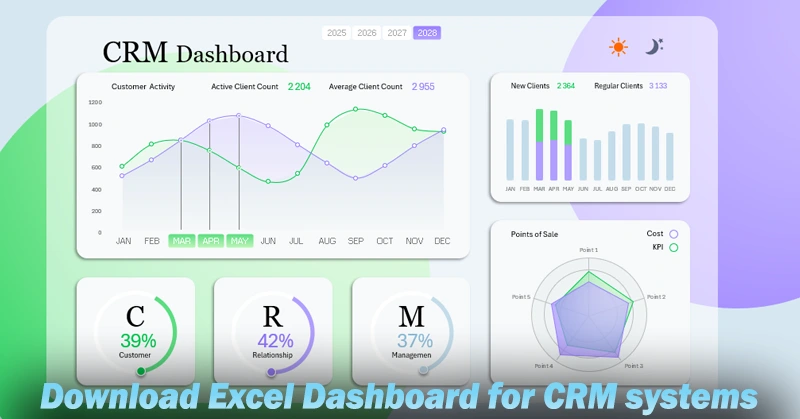
A well-designed CRM dashboard in Excel allows you to not only analyze data quickly but also present it to management in a presentation-friendly format. Using a visual report increases process transparency and helps identify sales bottlenecks in real time. To learn how to create these templates yourself, follow the video tutorial that covers:
- Creating the CRM dashboard grid with background design styling in Excel.
- Processing and organizing source data using pivot tables.
- Adding slicer panels for dashboard data filtering.
- Dynamic formulas to pull values from pivot tables into charts.
- The main chart with smooth curves for both quantitative and qualitative client metrics.
- Source formula table for a bar chart with rounded bar shapes in Excel.
- A dynamic bar chart template for analyzing the trend between new and returning clients.
- Creating 3 pie charts with a modern design in Excel.
- How to make a radar chart with a circular grid in Excel.
- Adding a toggle button to switch the chart type on the dashboard.
- Adding buttons to switch between dark and light UI themes.
- Creating a stylish dark skin for the Excel CRM dashboard.
- Presentation of a clean and modern UI design for a CRM dashboard.
You can also explore a detailed breakdown of each visualization block’s purpose:
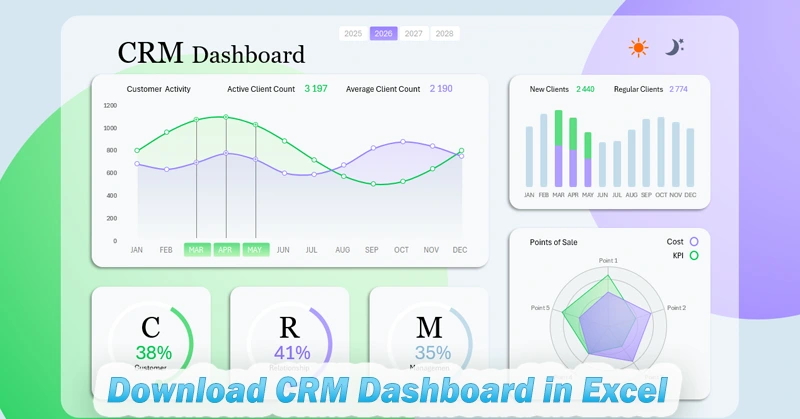
CRM Data Analysis Dashboard Template in Excel
By downloading and adapting the ready-made template, you’ll save time and make working with CRM data more efficient. And if you learn to build such interactive presentations in Excel yourself, you’ll become less dependent on CRM system reporting limitations. You’ll be able to adapt any CRM system to the complexities and specifications of your business.
Download a beautiful CRM report dashboard template in Excel. Visualize sales conversion, client efficiency, and activity in one report.


Data Visualization Charts for Interactive Report Creation in Excel.
Dashboard Templates